Logs and troubleshooting
The Logs page
The Logs page shows LatestArr’s recent activity: sends and their outcomes, source and delivery failures, sign-ins, and settings changes, with who triggered them.
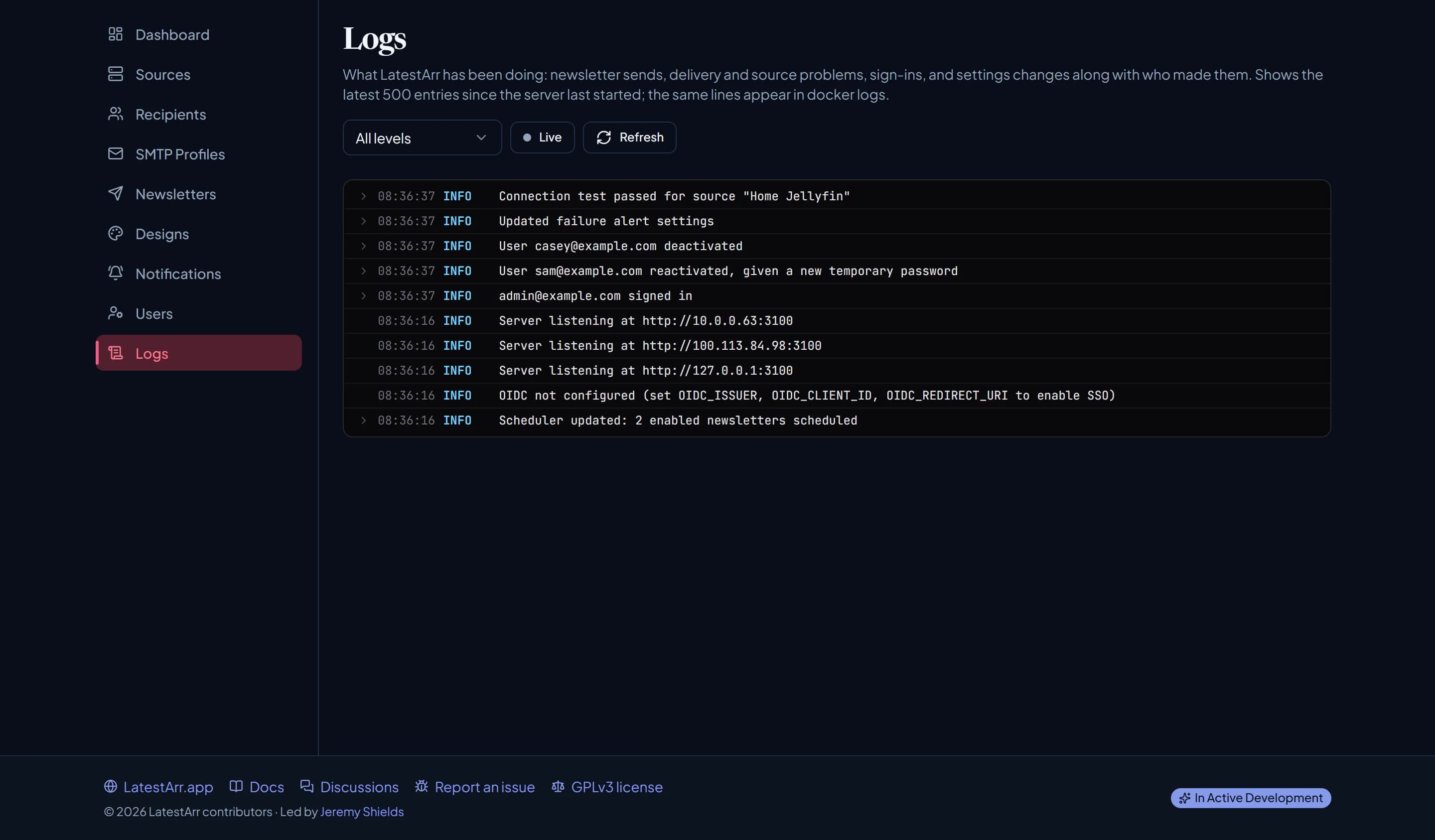
- Filter by level: all, warnings and above, or errors and above. Errors are highlighted.
- Live refreshes every few seconds; Refresh updates on demand.
- Click a line to see its details.
It keeps the latest 500 entries in memory, so they’re cleared when LatestArr restarts. The same logs go to the container’s output, so for a longer history use:
docker logs latestarrHow much gets logged is set by LOG_LEVEL.
debug adds per-source item counts for each send, which is useful when something’s missing from
an issue.
Reporting a bug
Not sure it’s a bug? Ask in Discussions first.
Open an issue and include:
- your LatestArr version and how you run it (image tag, proxy or not);
- what you did and what happened;
- the relevant lines from the Logs page or
docker logs.
Read log lines before pasting them. Credentials aren’t meant to be logged, but server addresses, newsletter names, and recipient emails can appear.
Found a security problem? Don’t open a public issue. See Reporting a vulnerability.
Common problems
The container stops straight after starting
Run docker logs latestarr. If it mentions ENCRYPTION_KEY, the key is missing or invalid.
Generate one with openssl rand -base64 32 and put it in .env. If you already have saved
sources or SMTP profiles, restore the key you used before instead; a new key can’t read them.
Can’t sign in behind a reverse proxy
Almost always TRUST_PROXY. Set it to true when a proxy
in front of LatestArr terminates TLS; leave it unset when you reach LatestArr directly over
http://. Also check WEB_ORIGIN matches the address in your browser.
On 0.10.0, Compose didn’t pass TRUST_PROXY to the container at all. Upgrade to 0.11 or add it
to the service’s environment yourself.
“No local account is linked to this SSO identity”
There’s no active LatestArr account with the email your SSO provider sent, or the provider
didn’t mark that email as verified (email_verified). Add the person on the Users page with
the email their provider uses (leave the password blank for SSO-only), or change your own
account’s email to match, then sign in with SSO again. See
SSO with OIDC.
A source is unreachable
- Use Test connection on the source and read the error.
- Check the Base URL from the container’s point of view.
localhostinside the container is the container itself, not your host. Use the host’s LAN IP or a Docker network name instead. - Check the key or token is still valid. See your source’s page under Sources.
Emails land in spam
Work through Deliverability: SPF, DKIM, and DMARC on the
From address’s domain, then check a test email’s headers for pass.
Items don’t link anywhere, or link to a LAN address
Set the source’s Public URL. Tautulli items have no links at all without one.
An item is missing from an issue
Check the newsletter’s lookback covers when it was added, and that the source is linked to
that newsletter. Set LOG_LEVEL=debug to see how many items each source returned per send.