SMTP profiles
LatestArr sends through an SMTP server you choose: a transactional provider, Google Workspace, or your own mail server. An SMTP profile stores the connection and a default sender. Each newsletter picks one.
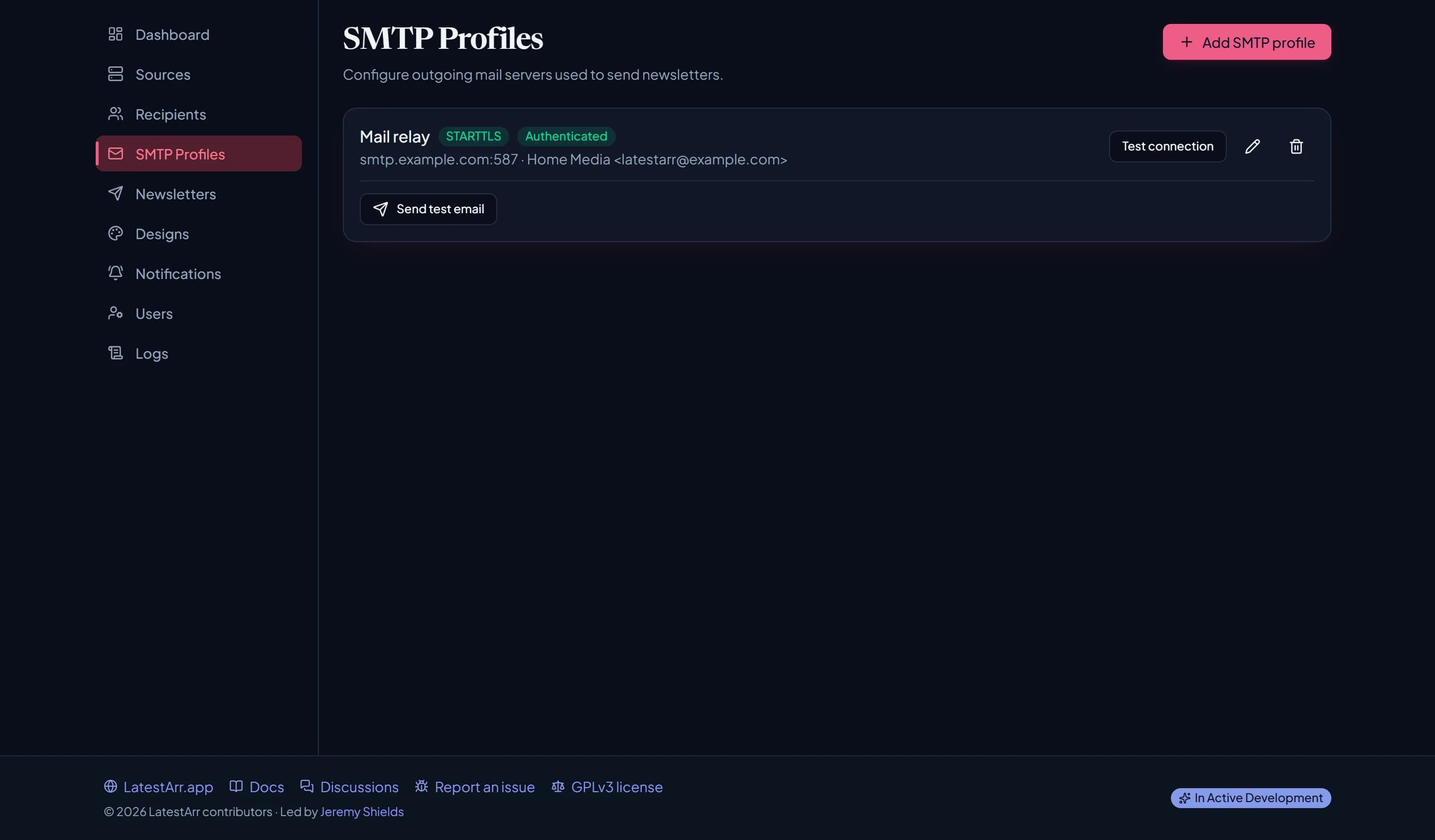
Fields
Connection
| Field | Notes |
|---|---|
| Host | e.g. smtp.postmarkapp.com |
| Port | Usually 465 for TLS, 587 for STARTTLS. |
| Secure | On (the default) for implicit TLS, usually port 465. Off means STARTTLS, which is required: LatestArr never sends over an unencrypted connection. |
Authentication: username and password, both optional and encrypted at rest.
Sender identity: the default From name and From email. A newsletter can override these with its own.
The From email’s domain is the one that needs SPF, DKIM, and DMARC. See Deliverability.
Testing
- Test connection checks that LatestArr can connect and sign in.
- Send test email sends a short “LatestArr test email” to an address you give. Check it arrives, and check its headers (see Verifying it worked).
How mail goes out
- One message per recipient. Nobody sees anyone else’s address, and there’s no big list in a single message for spam filters to flag.
- HTML plus plain text. Every email includes a plain-text version made from the same content New in 0.11, which helps deliverability and reads well in text-only clients.
- Posters embedded. Images are attached inline, so recipients don’t load anything from your server.
Last updated on