The design editor New in 0.11
The editor is a column of option panels beside a live preview. The preview refreshes a moment after each change. Nothing is saved until you choose Save, and LatestArr warns you if you try to leave with unsaved changes.
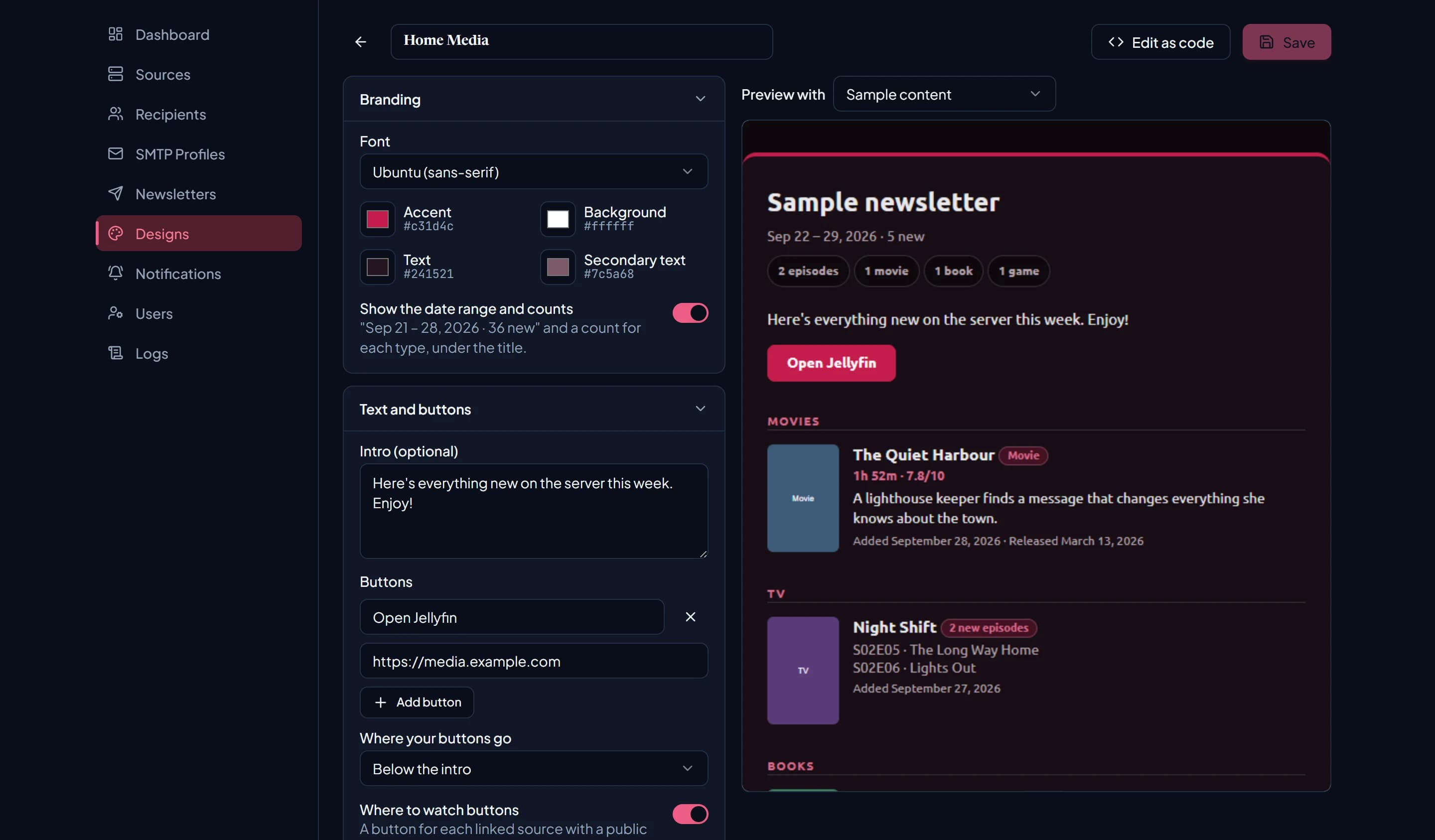
Preview with switches between sample content and any of your newsletters, so you can see the design with real items:
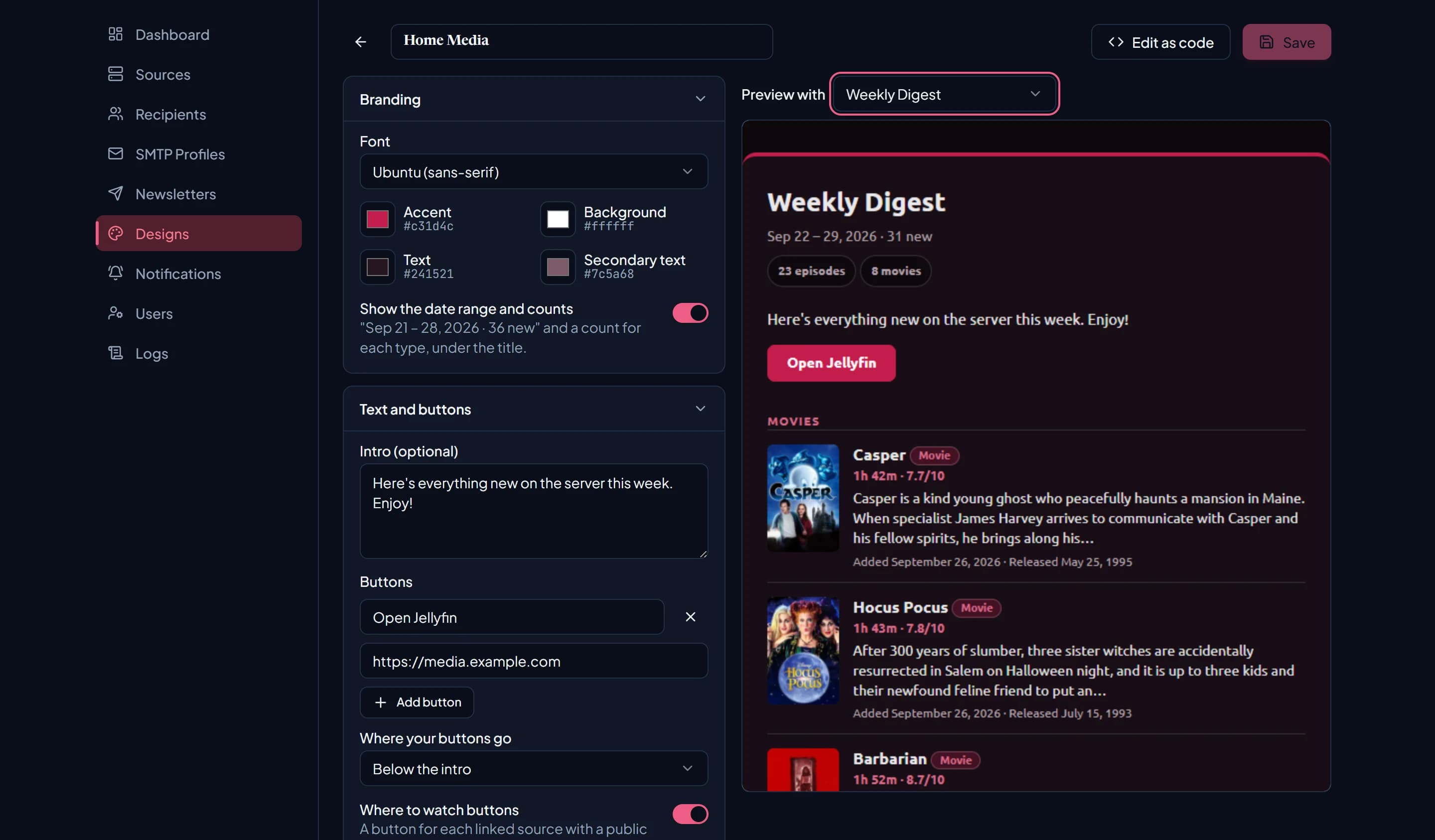
Branding
| Option | Default | Notes |
|---|---|---|
| Font | Ubuntu | Ubuntu (loaded as a web font), Arial, Georgia, or Verdana. Email clients that can’t load Ubuntu fall back to a system font. |
| Accent | #c31d4c | Top bar, section labels, buttons, and badges. |
| Background | #ffffff | The card’s background. The page tint and borders are mixed from your colours. |
| Text | #241521 | Main text. |
| Secondary text | #7c5a68 | Dates, details, and other quieter text. |
| Show the date range and counts | On | Adds “Sep 21 – 28, 2026 · 36 new” and a count per type under the title. |
Colours are six-digit hex values.
Text and buttons
An intro, a footer note, up to four buttons, and where to watch buttons for your sources. See Text and buttons.
Layout
| Layout | What it looks like |
|---|---|
| Cards (default) | Poster beside the details, one row per item. The only layout that shows summaries. |
| Compact list | One line per item. No posters or summaries. |
| Grid | Posters side by side, two per row. No summaries or dates. |
Item details
Switch each of these on or off. All are on by default.
- Poster or cover
- Type badge (Movie, Ebook, …)
- Subtitle (episode, author, …)
- Runtime, pages, platform, and rating
- Summary (Cards layout only)
- Added and release dates (not shown in Grid)
Sections
| Option | Default | What it does |
|---|---|---|
| Group a show’s new episodes | On | Folds several new episodes of one show into a single row. See Grouping. |
| Group by type | On | A heading for each type: Movies, TV, Books, Audiobooks, Games. Reorder them with the arrow buttons. |
| Most items per section | No limit | 1 to 50. Becomes “Most items in total” when you’re not grouping by type. |
| When a section has nothing new | Say there’s nothing new | See below. |
When a section has nothing new
| Choice | Result |
|---|---|
| Say there’s nothing new | Shows “Nothing new this time.” |
| Leave it out | Hides the section. |
| Link to the library | Shows a “Browse movies →” style link to your server. Only when grouped by type. |
| Show a few from the library | Shows a few random picks from the whole library, marked “From the library”. |
A section only appears when one of the newsletter’s sources can provide that type (unless you chose “Leave it out”, in which case it appears only when it has items). If nothing at all is new and no section can say so, the email says “No new items in this period.”
Most watched
Off by default. When on, adds a Most watched section after the others, listing the top items (1 to 20, default 5) played during the newsletter’s lookback window.
Play counts come from Tautulli, so this section only has content when a newsletter includes a Tautulli source.
Custom CSS
Up to 10,000 characters of CSS, inlined into the email when it’s rendered. Email clients support far less CSS than browsers do; Outlook in particular ignores a lot. Check with a test send.
Edit as code
Edit as code converts the design to MJML you can edit by hand. See Code mode. It’s one-way, so duplicate the design first if you want to keep an options version.